🛡️ Author Moderation
Give discussion authors the tools to manage their own topics
Let trusted members moderate the discussions they start, without making them forum-wide moderators. Choose exactly which actions authors can perform, protect selected groups, and optionally tie author permissions to moderator warning points.
The extension is built natively for Flarum 2.x.
What does it do?
Project logs, support topics, community initiatives and long-running discussions often benefit from an author who can keep things organized. Giving that person forum-wide moderation permissions is usually more access than they need.
Author Moderation provides a middle ground: additional permissions that apply only to discussions started by that user.
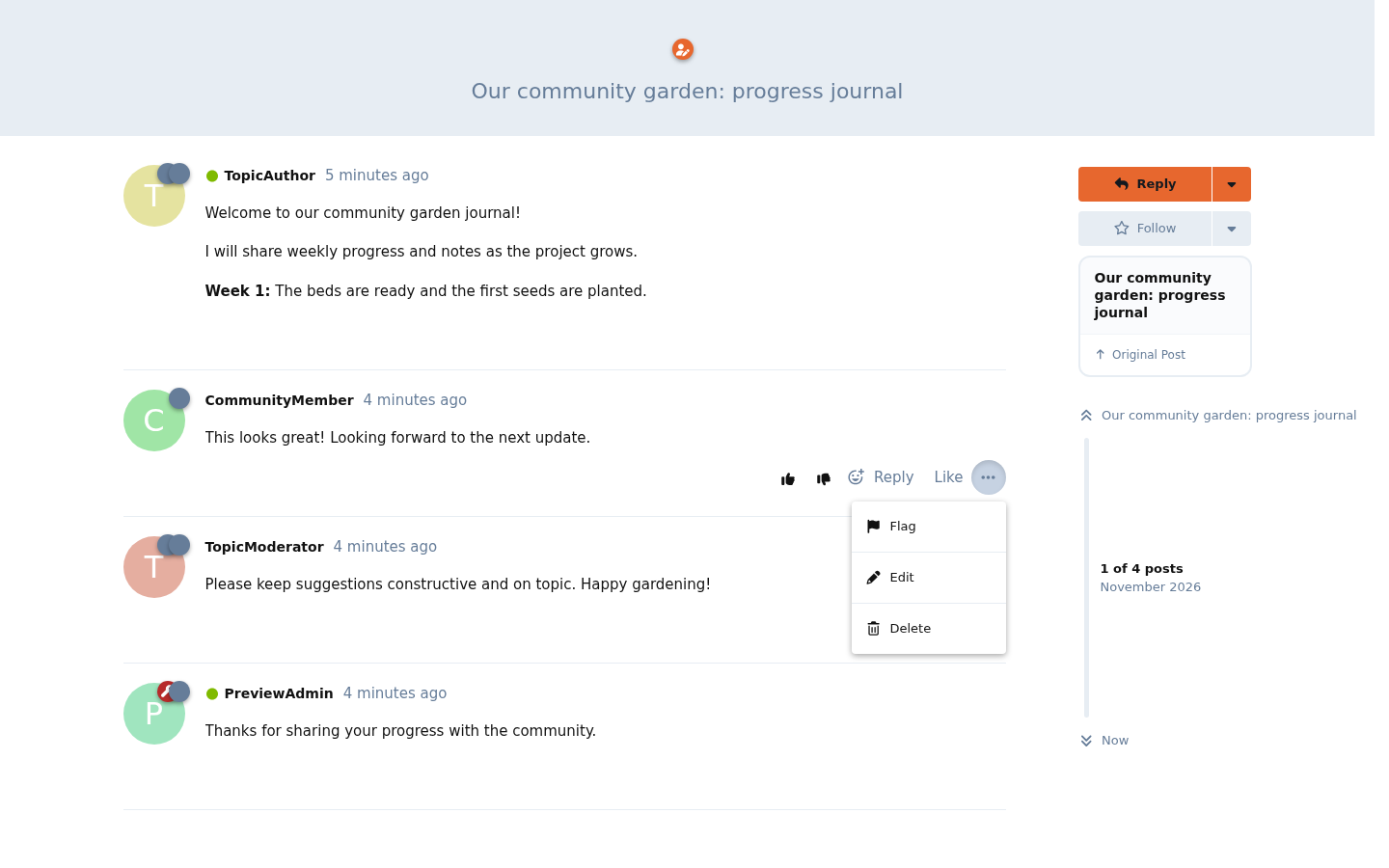
- Edit Posts: Allow authors to edit posts within their own discussions.
- Hide Replies: Let authors soft-delete replies without granting permanent deletion.
- Restore Replies: Control restoration separately from hiding.
- Manage the Discussion: Allow renaming, hiding and restoring the author's own discussion, including after other members have replied.
- Lock and Unlock: Optionally allow authors to manage locks when Flarum Lock is enabled.
These actions use Flarum's familiar discussion and post controls.
Native Flarum 2.0 Integration & Access Control
Author Moderation integrates with Flarum's API resources, policies and visibility scopes. The additional permissions are checked on the server, rather than relying on whether a button is visible.
Author Moderation Request
↓
Discussion Ownership & Required Permission
↓
Author Eligibility
↓
Applicable Exemption & Restoration Rules
↓
Flarum Policy & Visibility Checks
↓
Standard Moderation Action
- Additional author permissions are limited to the user's own discussions.
- An Exempt from author moderation permission protects selected groups from the additional author-level post actions.
- Administrators are exempt automatically.
- Existing staff permissions remain unchanged.
- Private-post visibility and explicit policy restrictions remain in effect.
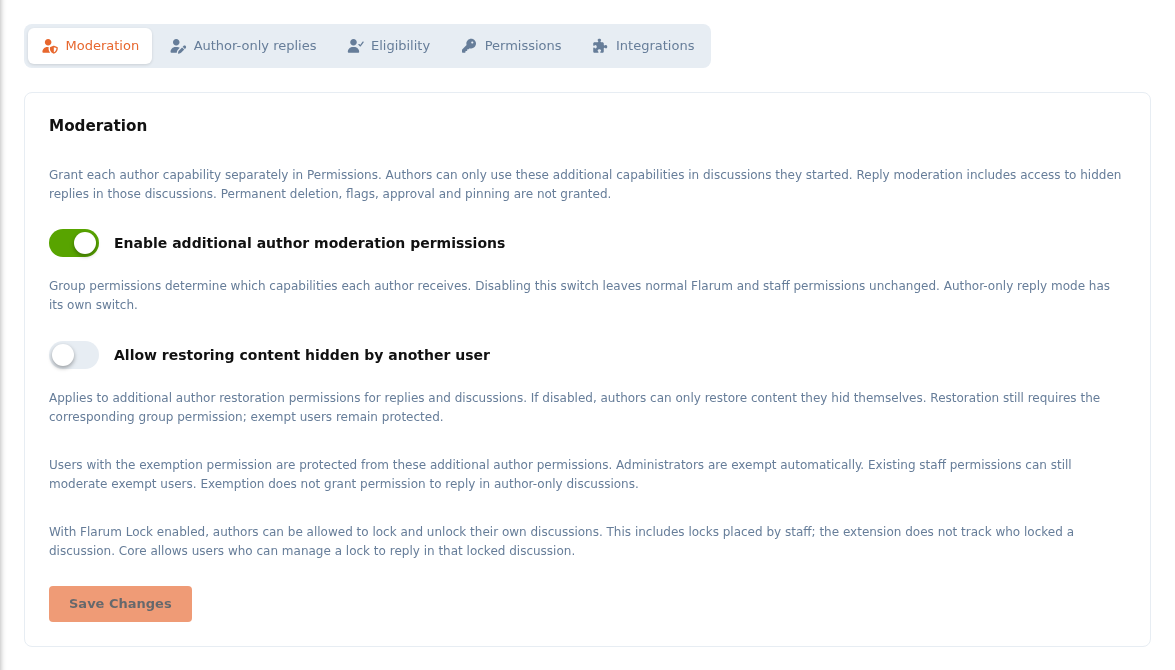
By default, authors can only restore content they hid themselves. Administrators can separately allow restoration of content hidden by another user.
📖 Author-Only Replies
Want a personal journal, a project diary or a progress log where updates stay with the original author?
Authors with the appropriate permission can enable Only the author can reply on their own discussion.
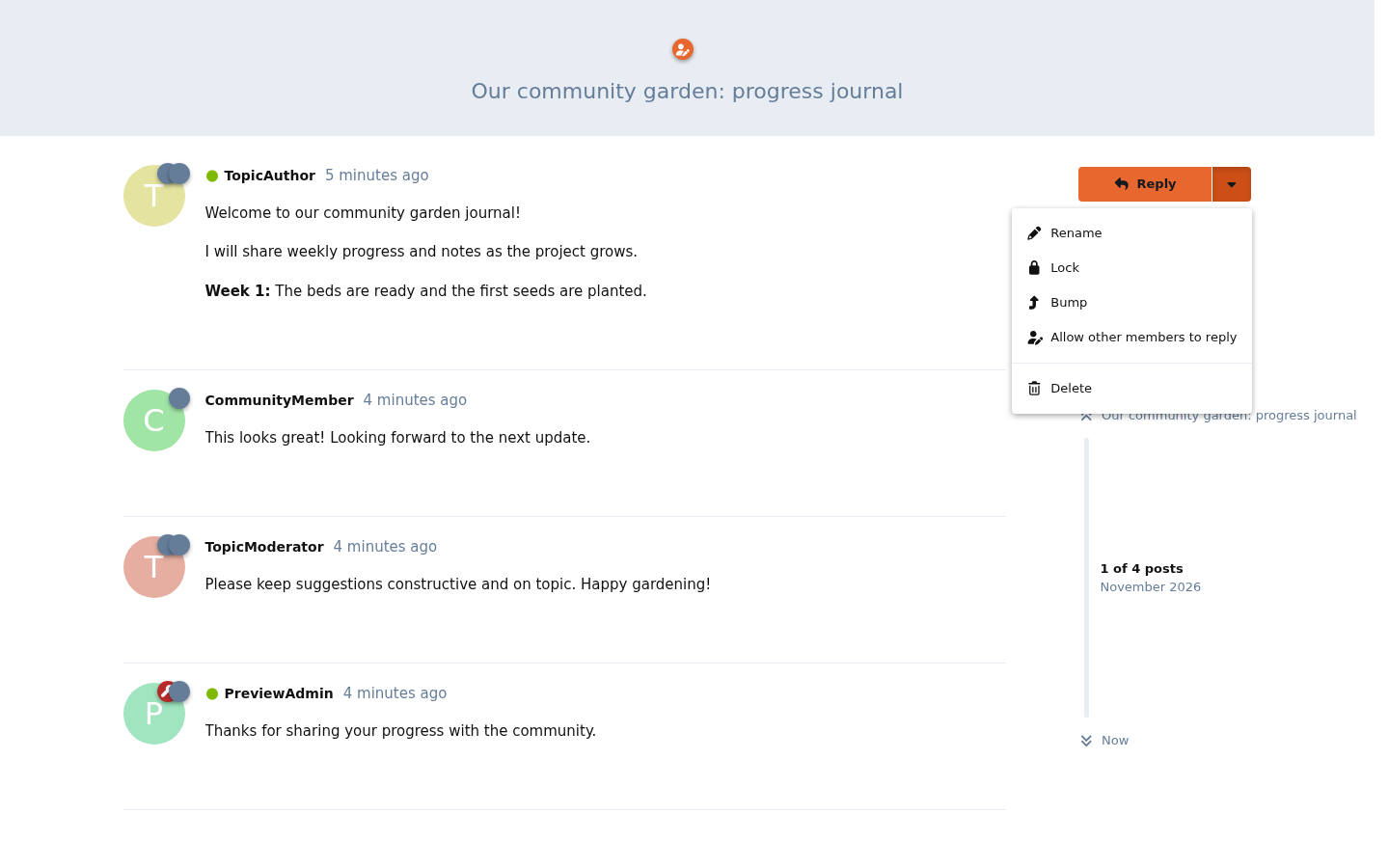
- Only the author and groups with the separate reply-bypass permission can reply while the mode is active.
- Reading access is unchanged.
- A separate management permission lets selected staff groups manage this mode across discussions.
- The bypass permission does not override other reply restrictions, such as locks or discussion bans.
If the author loses eligibility, or the feature is disabled, the restriction is suspended without erasing the discussion's saved mode.
⚠️ Optional Moderator Warnings Integration
With FoF Moderator Warnings enabled, administrators can set a threshold based on the author's total active warning points.
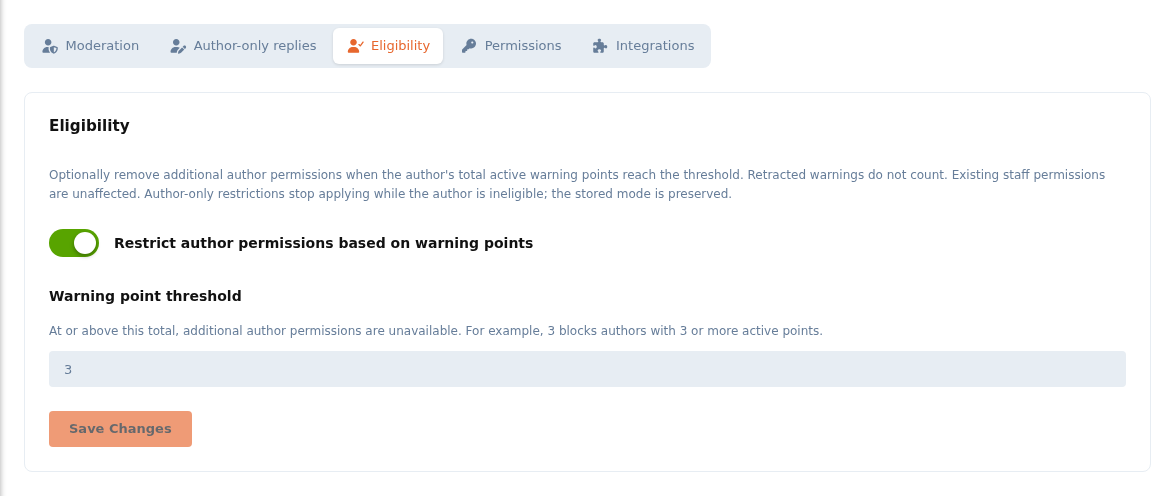
For example, a threshold of 3 makes the additional author permissions unavailable when the user reaches 3 or more active points.
- Points from multiple active warnings are added together.
- Retracted warnings do not count.
- Permissions become available again when the total falls below the threshold, provided the user still meets the other requirements.
- Existing staff permissions are unaffected.
This condition is optional and disabled by default. If Moderator Warnings is absent or disabled, the warning-point condition is not applied.
📋 Audit Log Integration
Author Moderation automatically integrates with flarum/audit when it is enabled.
Author-only mode changes are recorded with the acting user, target discussion and new enabled state. Standard post and discussion moderation actions continue to use their existing audit records, avoiding duplicate custom entries.
When Flarum Lock and Audit are enabled, lock changes use Flarum Lock's existing audit integration.
⚙️ Settings & Permissions
The administration page organizes the controls into five tabs:
- Moderation: Enable additional author moderation and configure restoration of content hidden by others.
- Author-only replies: Enable or suspend the author-only feature.
- Eligibility: Configure the optional warning-point condition.
- Permissions: Assign each capability independently to selected groups.
- Integrations: Check the availability of the optional integrations.
Granular permissions
Administrators can independently grant:
- Edit posts in own discussions
- Hide replies in own discussions
- Restore replies in own discussions
- Rename own discussions without the core time limit
- Hide own discussions after others have replied
- Restore own discussions
- Lock and unlock own discussions, with Flarum Lock
- Enable author-only replies in own discussions
- Manage author-only mode in any discussion
- Reply in author-only discussions
- Exemption from author moderation
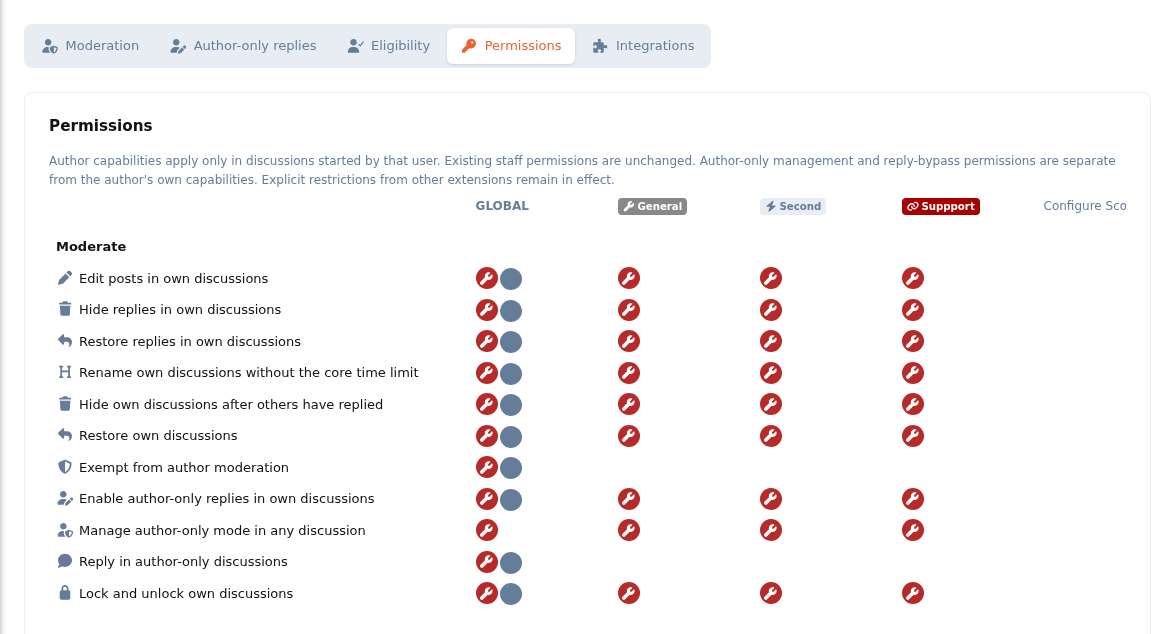
No member groups receive these additional permissions automatically. The permissions are also available on Flarum's main Permissions page.
Lock behavior: Authors granted lock management can also unlock discussions locked by staff. As with normal Flarum lock permissions, users who can manage a lock can reply in the locked discussion.
✨ Features
🎯 Own-Discussion Scope — Delegate moderation without granting forum-wide authority.
🔐 Independent Permissions — Choose exactly which actions each group can perform.
🛡️ Protected Groups — Exempt selected users from additional author-level post moderation.
🔄 Separate Restoration Controls — Manage hiding, restoration and restoration of others' actions independently.
📖 Author-Only Replies — Support journals and progress logs with controlled participation.
⚠️ Warning-Point Eligibility — Optionally suspend additional author permissions based on active moderator warning points.
🔒 Lock Integration — Allow authors to lock and unlock their own topics.
📋 Audit Integration — Record mode changes alongside native moderation events.
📱 Mobile-Friendly Administration — Manage settings and scroll the permission table on smaller screens.
Installation
Install with Composer:
composer require huseyinfiliz/author-moderation:"*"
Enable Author Moderation in the administration panel, then configure the group permissions.
php flarum migrate
php flarum cache:clear
Updating
composer update huseyinfiliz/author-moderation
php flarum migrate
php flarum cache:clear
Compatibility
- Flarum 2.x, starting with 2.0.0
- PHP 8.3+
Optional integrations: flarum/lock, flarum/audit and fof/moderator-warnings.
Translations
The extension ships with English translations.
Community translations are always welcome!
Links
Support & Contributing
If you find this extension useful:
- ⭐ Star the repository on GitHub
- 🐛 Report bugs or feature requests via GitHub Issues
- 🌐 Help translate the extension into your language
If you liked this extension, don't forget to check out my other Flarum extensions: https://www.huseyinfiliz.com/flarum-extensions/